AI virtual assistants for business: what they are, how they work, and what they cost
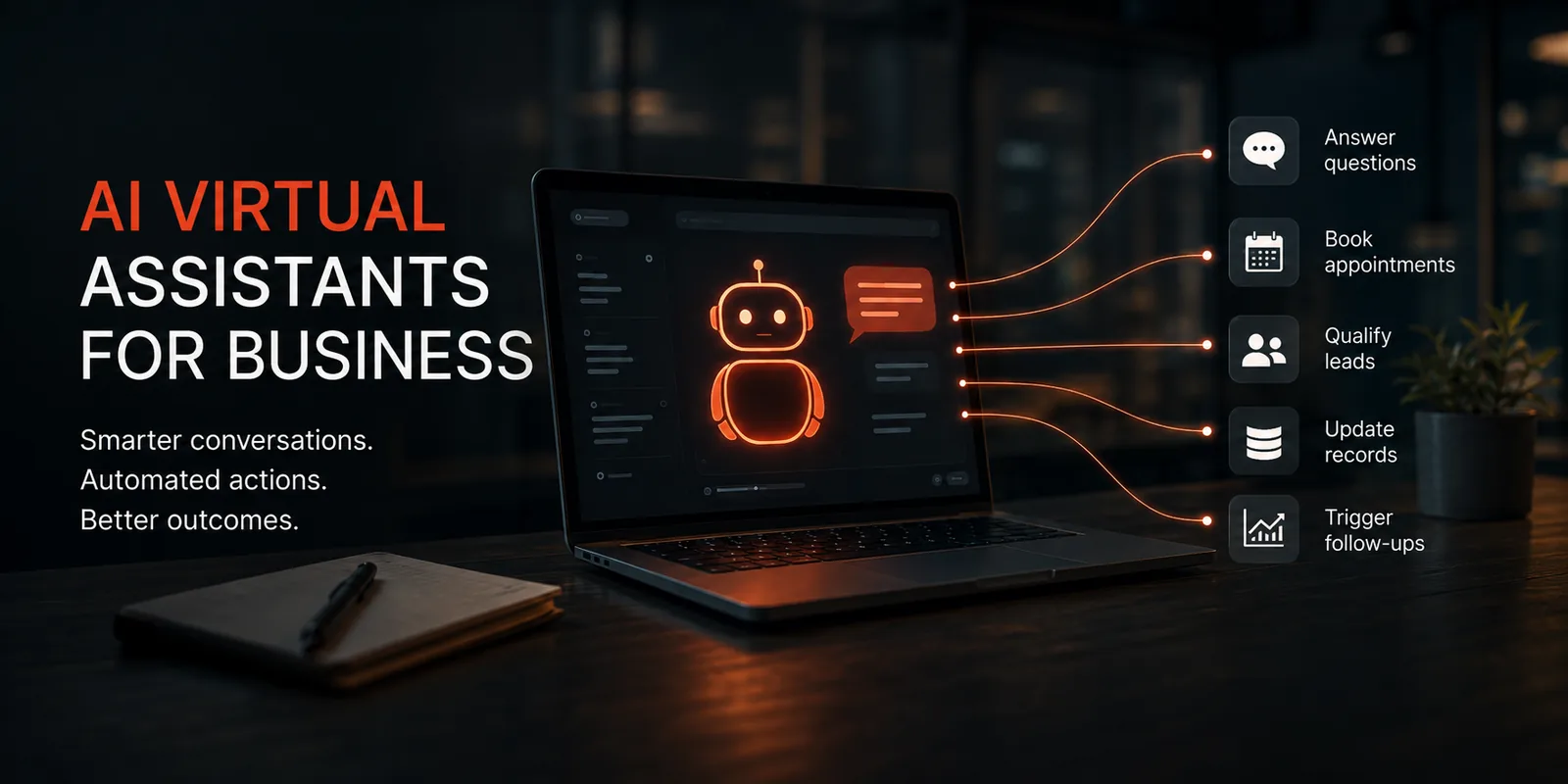
An AI virtual assistant is software that does the work a junior assistant would do — answering questions, qualifying enquiries, booking appointments, updating records — except it never clocks off and it handles fifty conversations at once. The category has quietly become mainstream, and AI virtual assistants for business now sit somewhere between a $30-a-month subscription and a proper custom build. This guide covers what they actually are, how they work under the hood, and what you should expect to pay.
The short version
- What it is Software trained on your business that talks to customers and acts on their requests — not a scripted chatbot, and not a person.
- How it works Your knowledge, plus a language model, plus integrations into your calendar and CRM, plus a rule for when to hand off to a human.
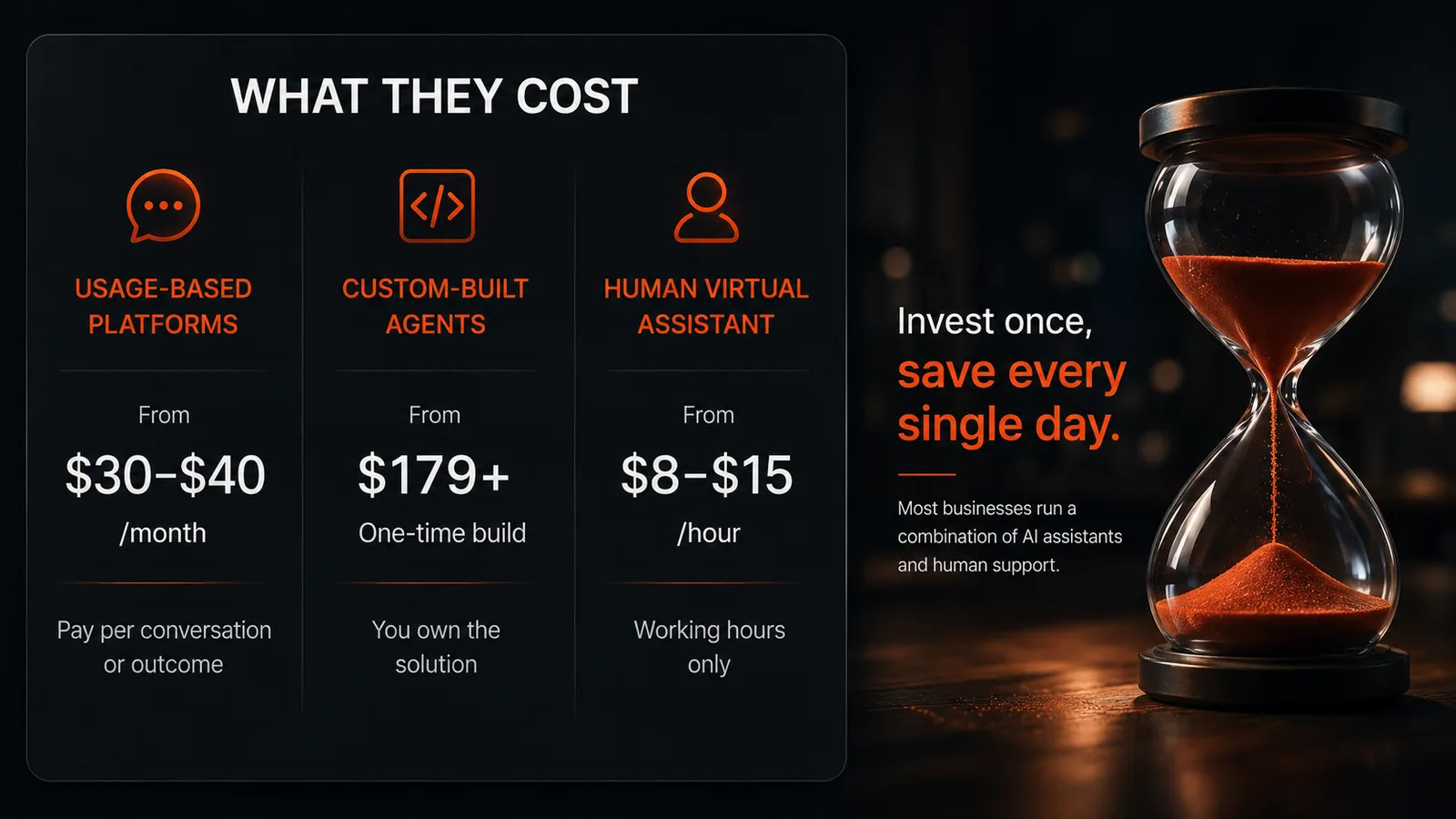
- What it costs Usage-priced tools start around $30–$40/month; custom builds run from a few hundred dollars upward, plus running costs.
- When it pays When enquiries arrive faster than you can answer them, or arrive outside working hours.
What is an AI virtual assistant for business?
It's a system that handles a defined slice of your customer-facing or admin work without a person driving it. Three things separate it from what came before.
It isn't a rule-based chatbot. Those follow a decision tree someone drew in advance, which is why they collapse into "Sorry, I didn't understand that" the moment a customer phrases something unexpectedly. A modern assistant reads intent and answers from your actual material.
It isn't a human virtual assistant. A person brings judgement, but they also bring a schedule, a ceiling on how many things they can do at once, and a monthly invoice.
And it isn't a general chatbot like the ones you use for drafting emails. Those know the internet. A business assistant knows your prices, your availability, your service area, and your booking process — and it can act on them.
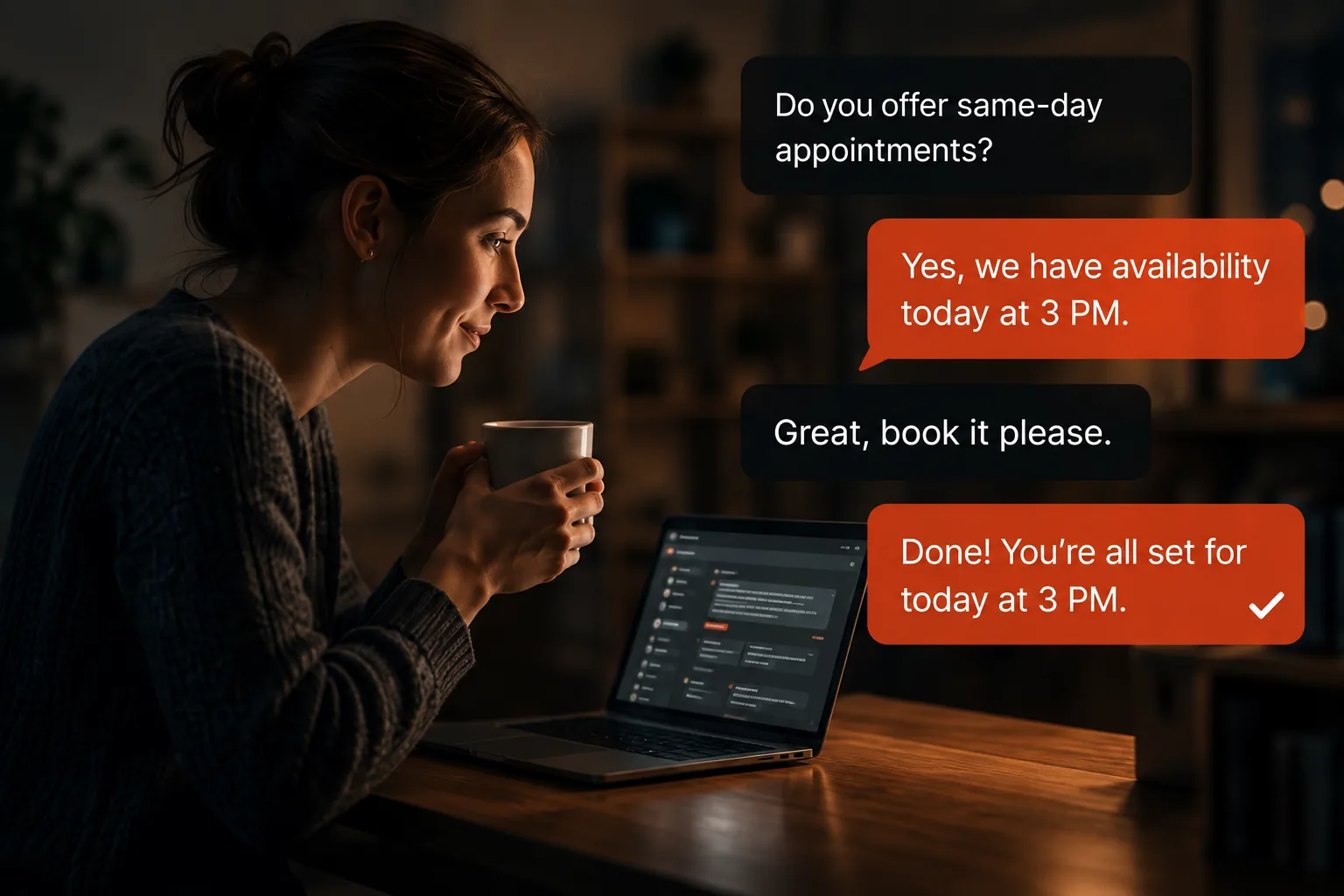
How AI virtual assistants actually work
Strip away the marketing and there are four moving parts. Almost every serious deployment has all four; the ones that disappoint are usually missing two or three.
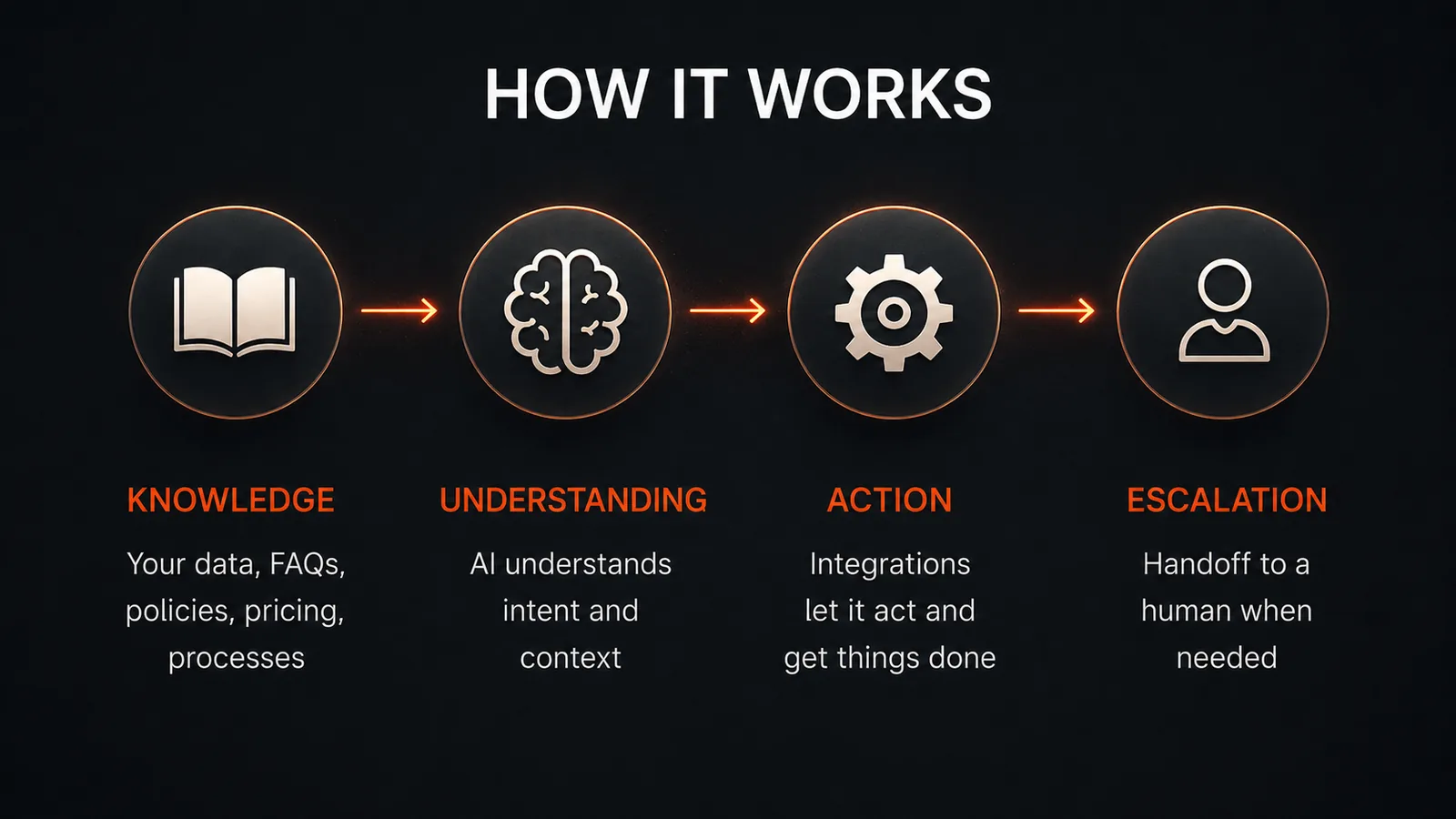
- A knowledge base Your services, pricing, hours, policies, and the answers your team already gives by email fifty times a month. Feed it thin material and you get thin answers.
- A language model This is the part that reads what a customer wrote, works out what they want, and drafts a reply in your tone rather than a canned one.
- Integrations The difference between answering and doing. Calendar access lets it book; CRM access lets it log; an automation layer lets it trigger the follow-up.
- An escalation rule A clear boundary for what it must not attempt, and a clean handoff to a person with the conversation already summarised.
That last point is where most of the real engineering goes. An assistant that confidently invents a price is worse than no assistant at all, so a good build constrains what it can answer, grounds every response in your documented material, and escalates the rest. If you want the stage-by-stage version, how an AI virtual assistant actually works breaks a single reply into its six steps and shows where each one fails.
What they can realistically handle in 2026
More than sceptics expect, less than vendors imply. The clearest independent evidence comes from a study of 5,179 customer support agents at a software firm: access to a generative AI assistant raised issues resolved per hour by 14% on average, and by about 34% for the newest and least experienced staff (Brynjolfsson, Li and Raymond, NBER working paper 31161, published in the Quarterly Journal of Economics, 2025). Notably, the gain for already-expert agents was close to zero — the technology levels up the bottom of the distribution rather than the top.
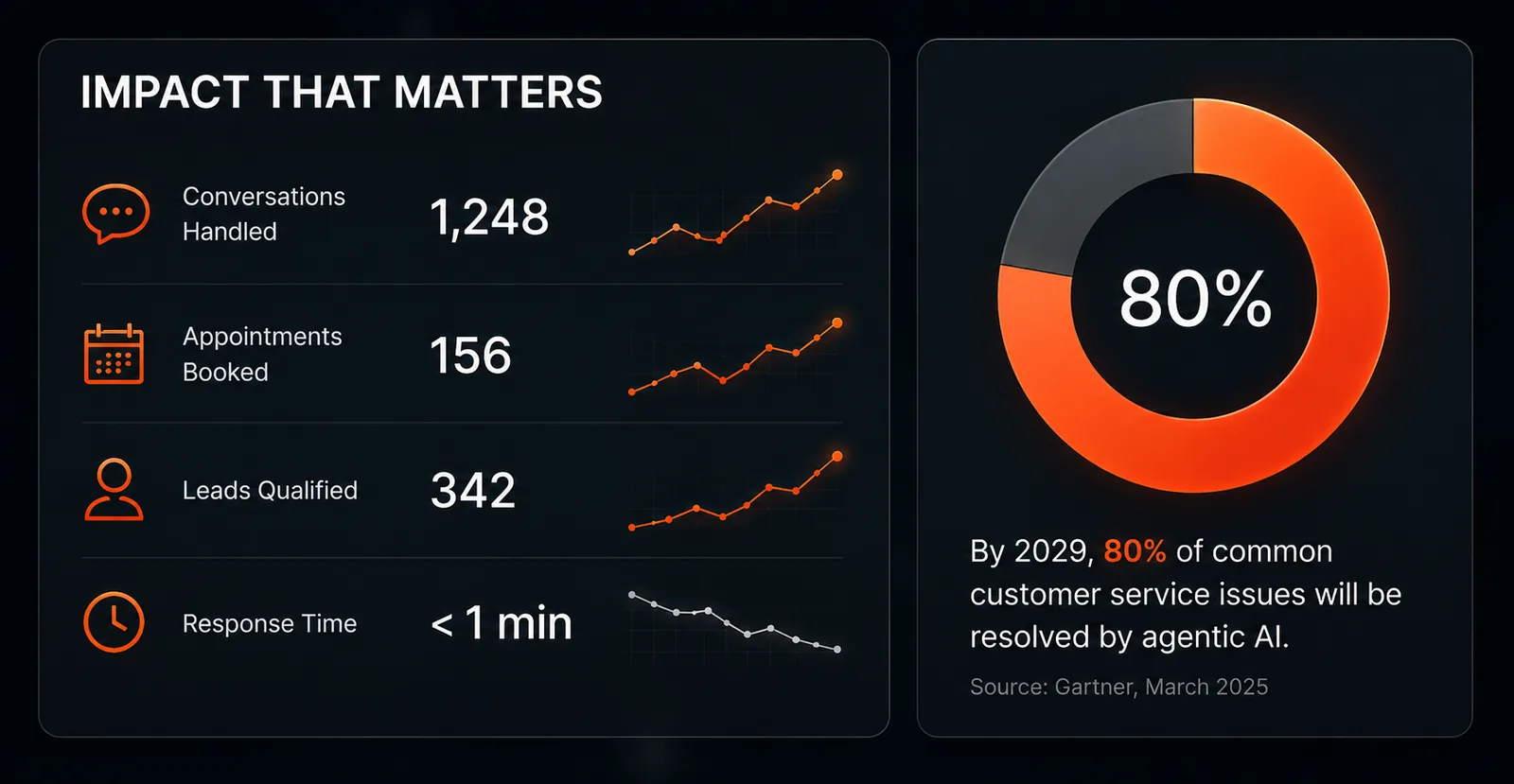
Looking forward, Gartner predicts that by 2029 agentic AI will autonomously resolve 80% of common customer service issues without human intervention, cutting operational costs by 30% (Gartner press release, 5 March 2025). Read the wording carefully: common issues. The repeatable 80% is the target, not the hard cases.
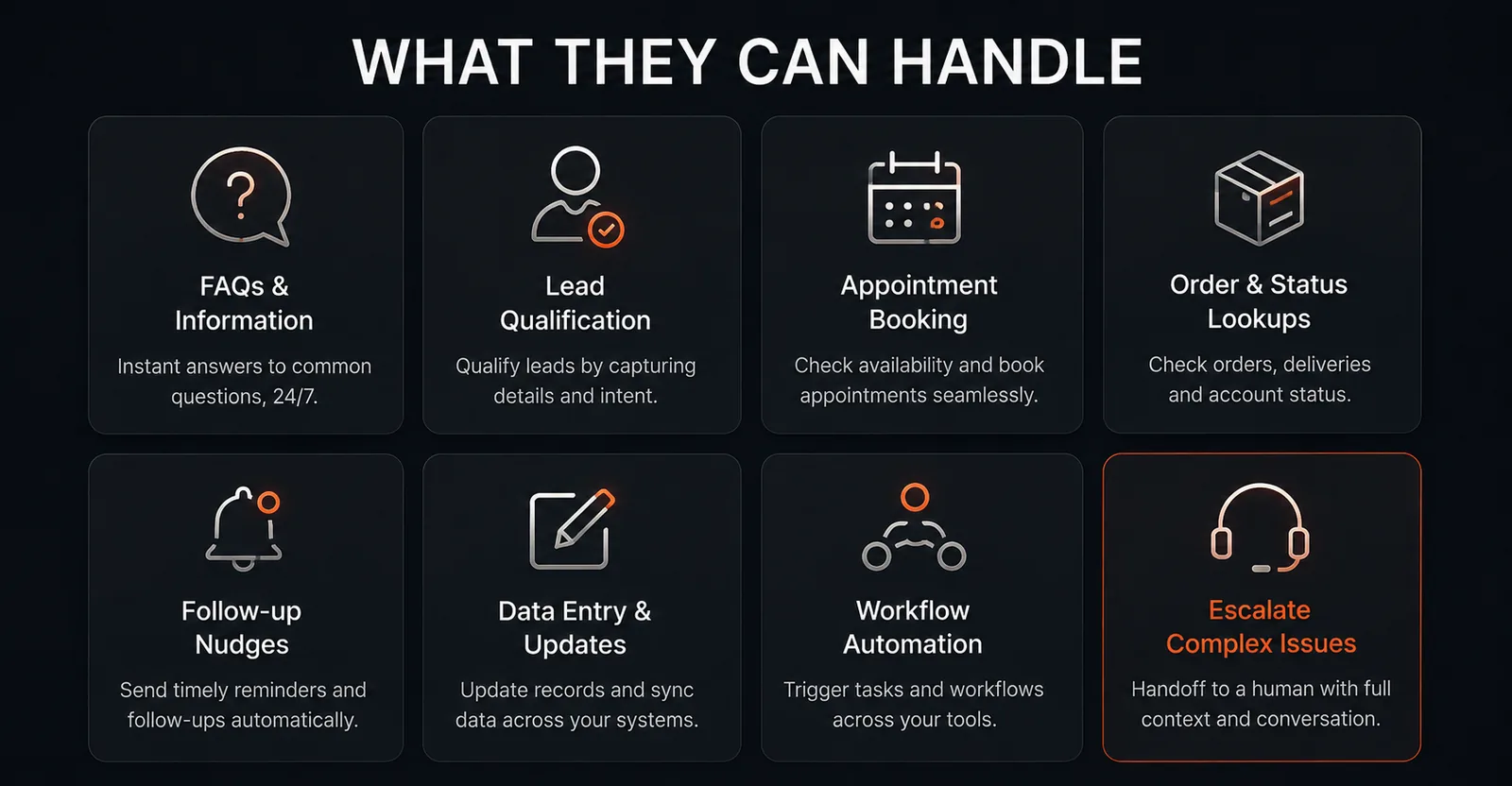
In practice, that maps to opening replies, FAQ handling, lead qualification, appointment booking, order and status lookups, follow-up nudges, and data entry between systems. It does not map to negotiation, complaints that need authority, or anything requiring a judgement call your business would want to own.
The right question isn't "can AI do this job?" It's "which 60% of this job is the same conversation over and over?"
What AI virtual assistants for business cost
Pricing splits into three models, and they're not really comparable to each other — which is exactly why quotes feel confusing.
1. Usage-based platforms
You pay for outcomes. Intercom charges $0.99 per Fin AI Agent outcome — counted when the customer confirms resolution or the agent completes a workflow — on top of seats priced at $29, $85 and $132 per seat per month across its Essential, Advanced and Expert plans (Intercom pricing, retrieved 10 August 2026). Tidio's Lyro agent starts at $32.50 per month for 50 AI conversations, metered separately from human conversations (Tidio pricing, retrieved 10 August 2026).
Cheap to start, easy to forecast wrongly. A per-resolution price is not a fixed budget: if volume doubles, so does the bill.
2. Custom-built agents
Here you pay for a build rather than a subscription, and you own the result. Cost tracks scope — one chat agent on one channel is a different project from a multi-channel system that books, logs, and triggers follow-ups. OtivaxAI prices this way: our project pricing starts at $179 for a single agent on one channel and rises with integrations and volume. Ongoing costs are then mostly model usage and maintenance rather than a per-seat licence.
3. A human virtual assistant, for comparison
Offshore VAs through an agency typically run $8–$15 an hour in 2026, while US-based assistants sit closer to $25–$50 an hour. Twenty hours a week at the lower end is roughly $700–$1,300 a month for coverage during working hours only.
The honest comparison isn't cost-per-hour, though. It's coverage. A person is better at the hard 20%; software is better at the 3am enquiry and the fortieth identical question of the day. Most businesses that get this right end up running both.
The costs nobody quotes you
- Content preparation Someone has to write down the answers. This is usually the single biggest time cost of any deployment.
- Integration work Connecting a calendar is quick. Connecting a bespoke CRM or booking system is not.
- Maintenance Prices change, services change, and an assistant quoting last year's rates is a liability.
- Review time Budget a few hours a month reading real transcripts. That's where the improvements come from.
How to tell whether it's worth it
Skip the ROI calculators and answer one question: how many enquiries do you currently answer more than an hour late?
An audit of 2,241 US companies found the average response time to a web-generated lead was 42 hours, and 23% never responded at all. Firms that made contact within an hour were nearly seven times more likely to qualify the lead than those that waited just one hour longer, and more than 60 times more likely than those who waited a day (Oldroyd, McElheran and Elkington, Harvard Business Review, March 2011). The study is old and the finding has only become more punishing since messaging moved to WhatsApp and Instagram, where customers expect a reply in minutes.
So the maths is simple. If you get 60 enquiries a month, miss or badly delay 15 of them, and your average job is worth $400, that's $6,000 of pipeline leaking every month. Against that, a few hundred dollars of build cost is not a close call. If you get four enquiries a month and answer all of them in ten minutes, an AI assistant will not change your business — and you should spend the money elsewhere.
What a good deployment looks like
Start narrow. Pick the single conversation you have most often — usually "what do you charge and are you available?" — and get the assistant handling that one flawlessly before widening the scope. Give it real material rather than marketing copy. Decide the handoff rule before launch, not after the first awkward transcript. Then read the transcripts weekly for the first month and fix what you find.
Whatever you measure it against, measure it. Conversations handled, appointments booked, leads qualified, and the share resolved without a human are the four numbers that tell you whether the thing is earning its keep — and they're the four worth putting on a dashboard from day one.
At OtivaxAI we build every agent this way: one workflow, deployed properly, measured, then extended. It's less impressive in a demo than a bot that claims to do everything, and it works considerably better in production. If you want to see the mechanics of one specific use case, our breakdown of what an AI booking agent actually does walks through the full conversation, step by step.
See what one would handle for your business
Book a free 20-minute demo and we'll show you a live assistant answering your kind of enquiries — and give you an exact cost.
Book a Free DemoFAQs
AI virtual assistant questions, answered
It's software that handles customer-facing and admin work on its own — answering questions, qualifying leads, booking appointments, and updating your systems — trained on your business rather than on generic web content. Unlike a human virtual assistant, it works every hour of the day and handles many conversations at once.
It depends on the model. Usage-priced tools charge per conversation — Intercom bills Fin at $0.99 per outcome on top of seats from $29 per month, and Tidio's Lyro agent starts at $32.50 per month for 50 AI conversations. Custom-built agents are usually a one-off build plus a smaller running cost; OtivaxAI builds start from $179.
Not entirely, and it usually shouldn't. AI virtual assistants are strongest on repeatable, high-volume work: first replies, FAQs, qualification, booking, and data entry. Judgement calls, negotiation, and sensitive cases still need a person — which is why a clean handoff matters more than the raw automation percentage.
An off-the-shelf chat tool trained on your website can be live in a day, though it will only answer what your public pages already say. A custom agent that books into your calendar and writes to your CRM typically takes a few weeks — most of it spent gathering answers and wiring integrations, not building the AI itself.